
Working with app inventor has been an interesting process. At first, I had no idea where to start/what to do so I watched some youtube videos to learn the basics and get some ideas. At first, I wanted to make a bowling game where I would be able to flick a ball into a group of pins and make a sound. After playing around with that idea, I decided instead to make a game where a ball drops into a waste bin and makes a sound. After randomizing where the ball would drop every time and adjusting the speed of the ball, I added the waste bin. When I added the waste bin, the properties of the photo were large and although I added a formula to resize the waste bin, every time I reopened the emulator, the waste bin would appear big and out of place again. I looked up how to get around this and ended up adding a clock to rerun the properties I wanted of the waste bin 3 times every time the screen initialized which ended up fixing the problem. I then added a formula which allowed me to drag the waste bin around the screen. I also added a formula which called for a “ding” noise to be made when the waste bin collided with the ball. The final thing I wanted to add to make my game complete was a point system which added a point every time the waste bin collided with the ball. At this point in the process I ran into my final problem. I wanted to figure out how to reset the points to zero every time the waste bin did not catch the ball.
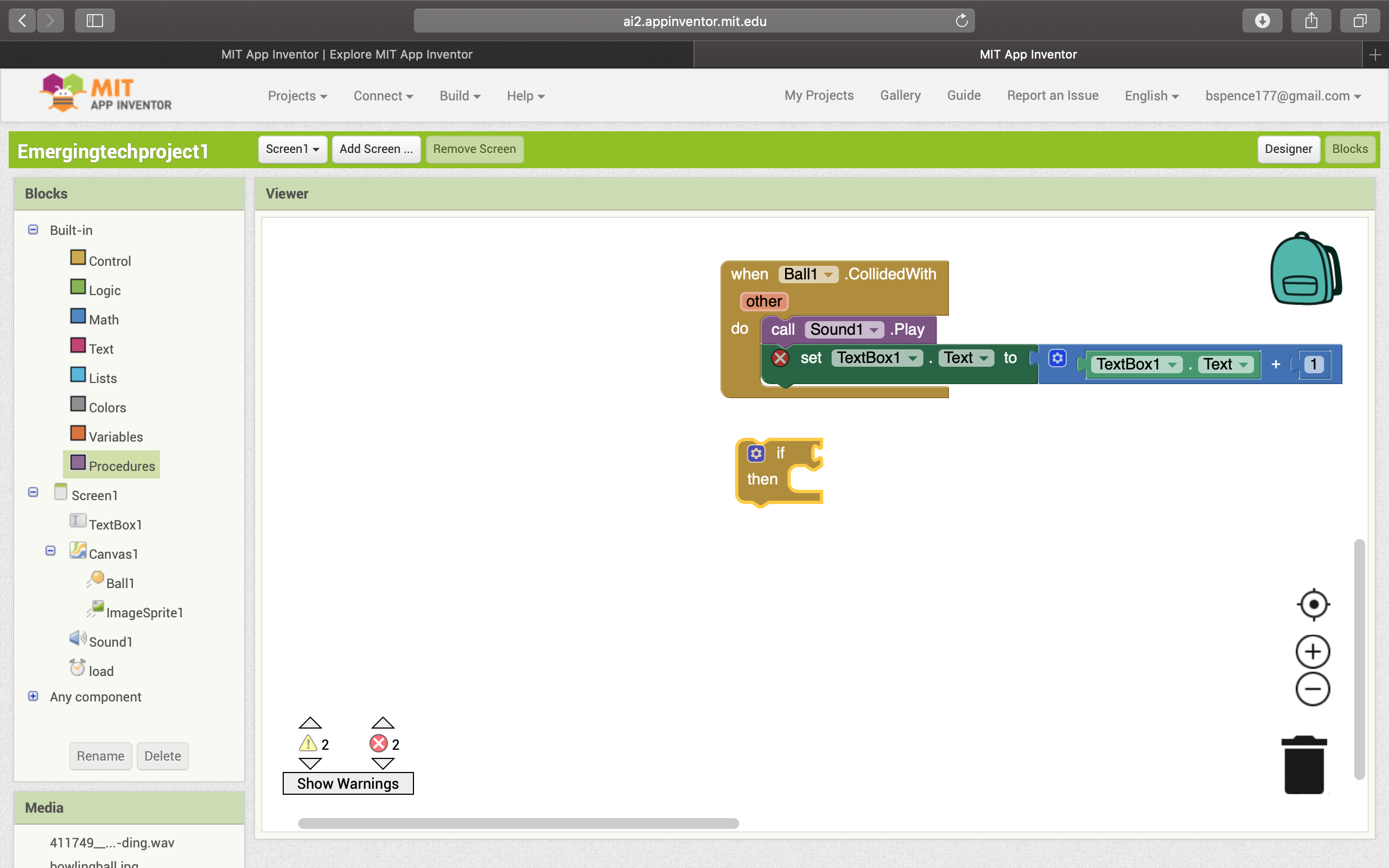
I could have made this work if I was able to fit the “when ball collided with” statement into an if then statement to read, “if ball collided with waste bin, then increase textbook number + 1, and then add an else statement to reset the textbook number (score) back to 0 if this condition was not met. Unfortunately, the top statement would not fit in the if then box so I could not take this route. After exploring many other routes, I decided to simply add a reset button which reset the score to 0 and used the following formula:
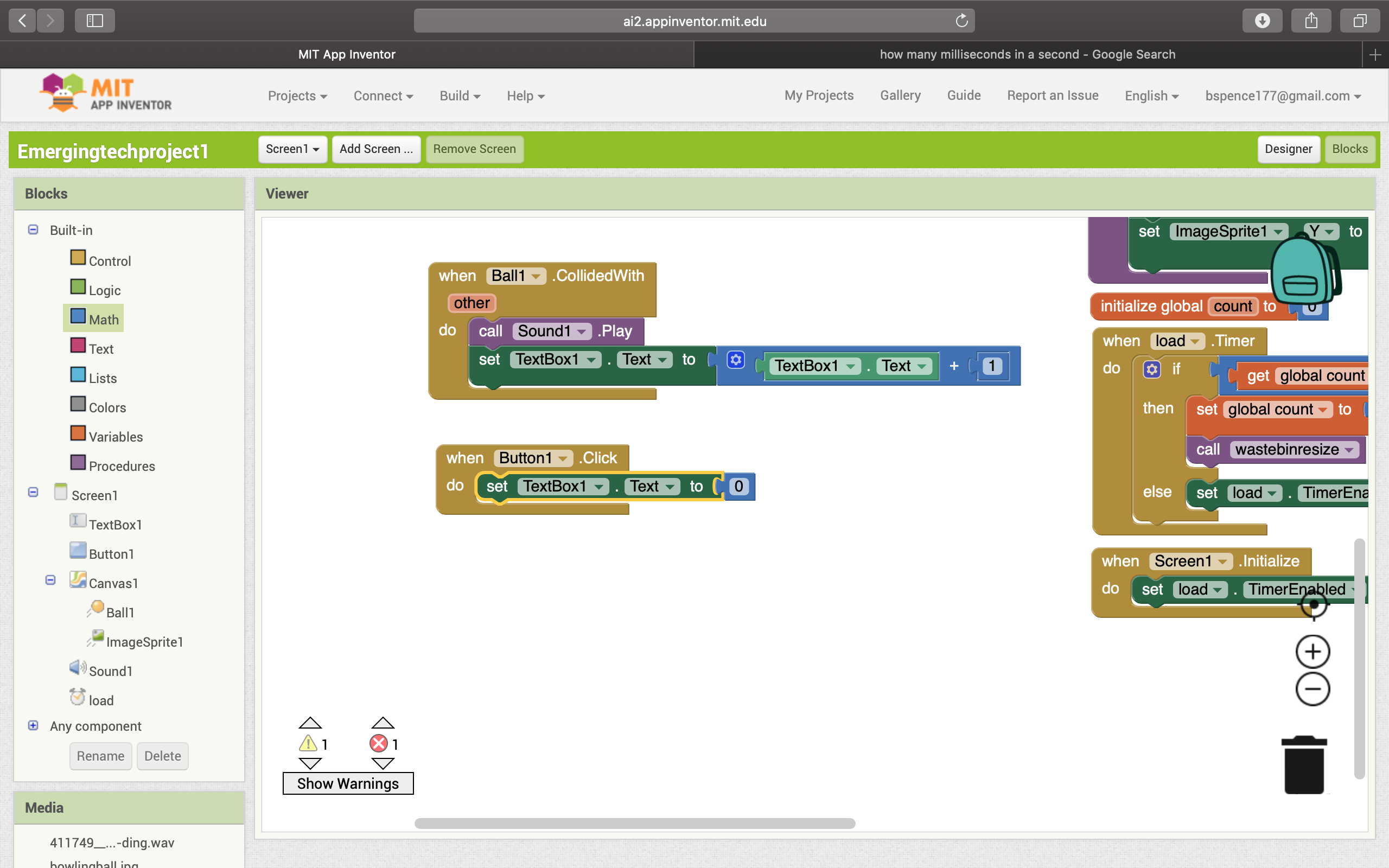
So, because of this issue, you can get an unlimitedly high score until the reset button is pressed. All in all, I think my game turned out well and was definitely a learning experience for me as I have never done anything of this nature before.
 Bennett's emerging tech blog